Cloud POS for hospitality and retail

POS and ordering software. For hospitality.

Take orders at the table, at the counter, by QR, online and at the kiosk; the kitchen sees them at once and receipts go to AADE. On the tablet, PC or phone you already have.

  • 14 days free
  • No card needed
  • Cancel any time

or book a free 20-minute demo

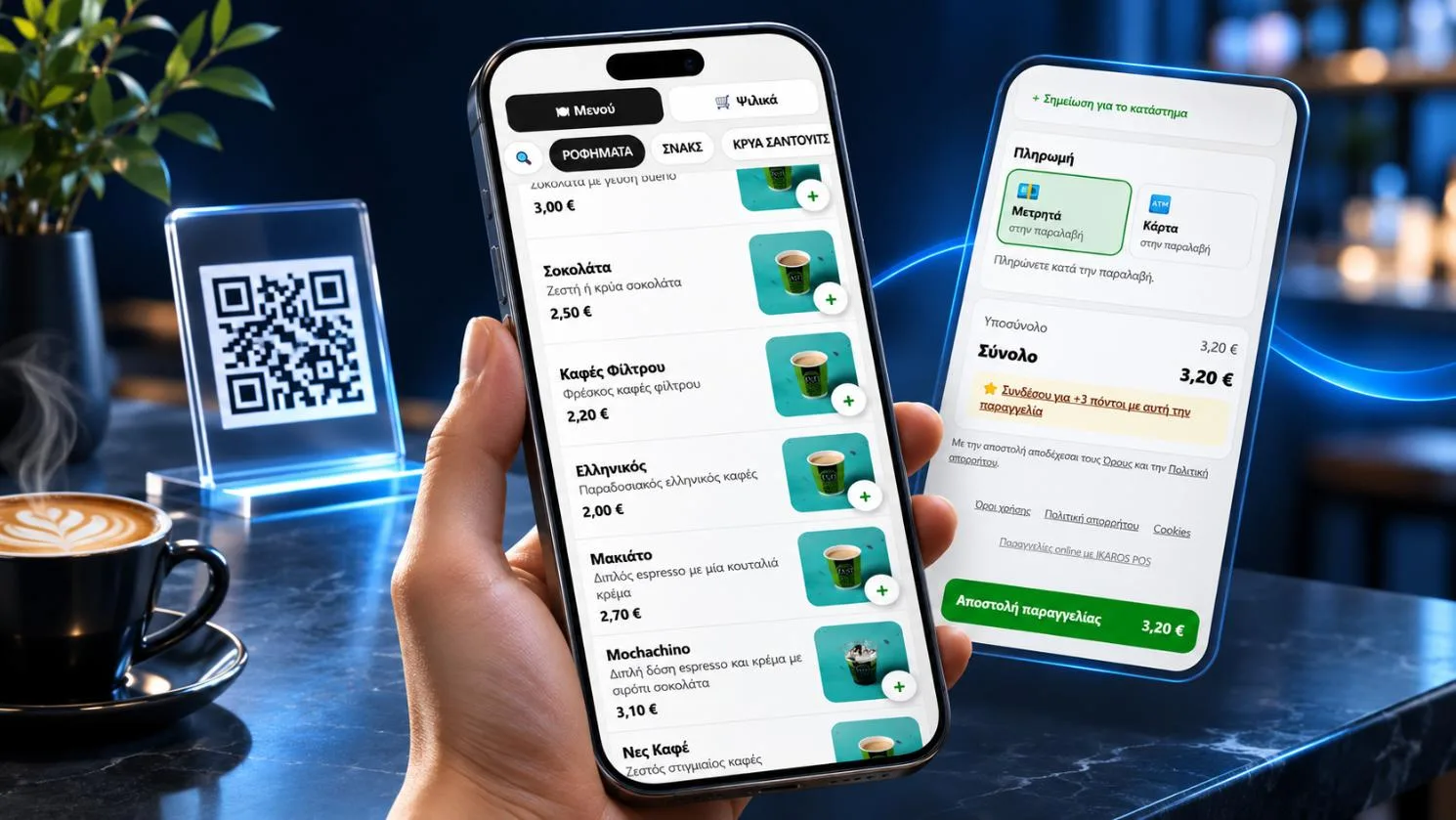
Order and pay from the phone

Works with the providers you already use

Payments, terminals, myDATA receipts and delivery, connected to the till from day one.

  • VivaTerminals & online
  • StripeOnline payments
  • RevolutOnline payments
  • m MollieOnline payments
  • SumUpTerminals & online
  • ep EveryPayTerminals & online
  • my myPOSCard terminals
  • n NexiCard terminals
  • ir IRISInstant payments
  • Apple PayPhone wallet
  • w WrappReceipt provider
  • o₂ OxygenReceipt provider
  • is iNVOICEsoftReceipt provider
  • ΑΑΔΕ myDATAAADE
  • e efoodDelivery
  • W WoltDelivery
  • WooCommerceE-shop
  • VisaCards
  • MastercardCards
  • Google PayPhone wallet

One system, the whole business

One system for the till, the guest's phone, the kitchen and the e-shop.

The whole place on one screen
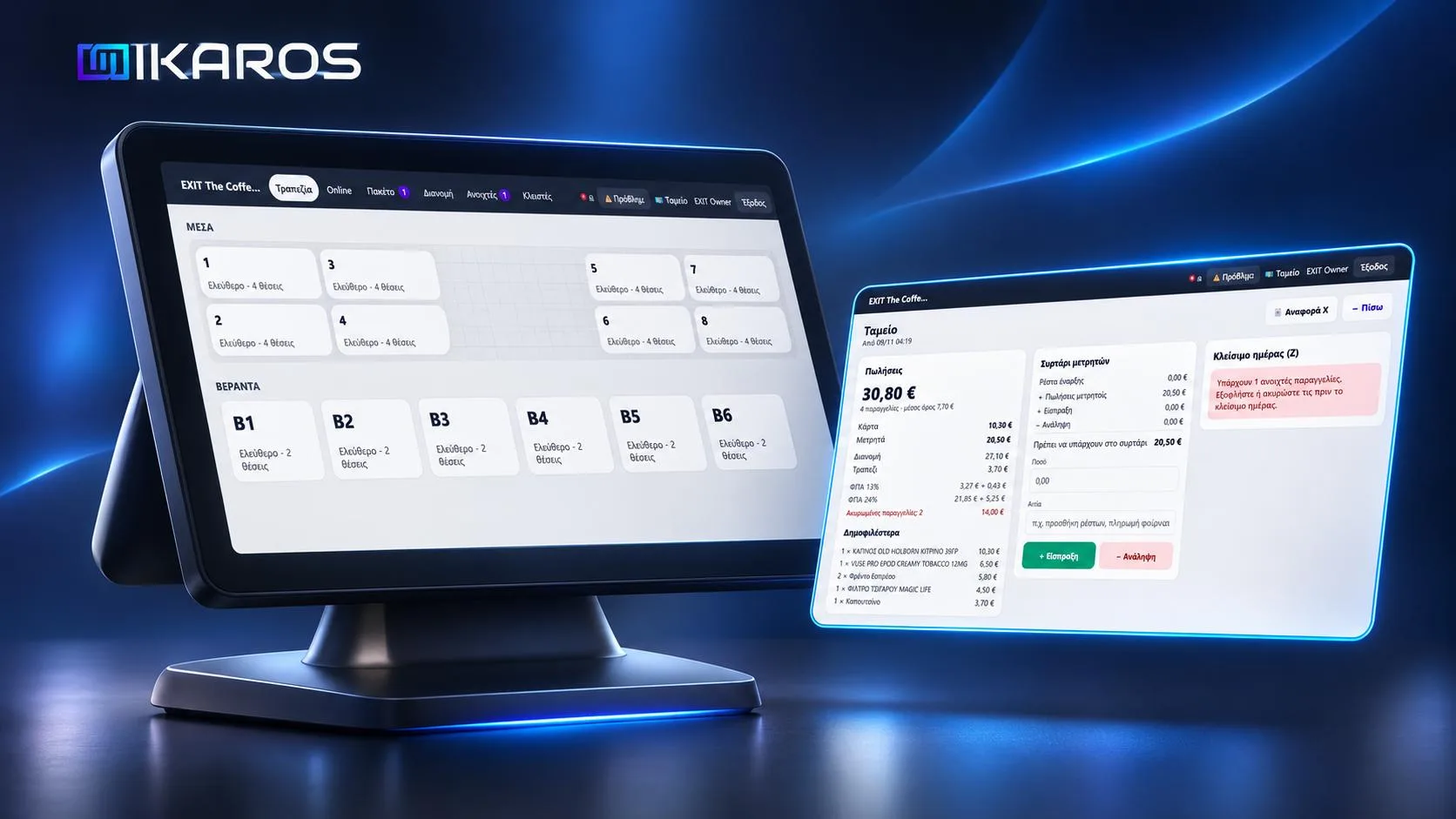
The whole place on one screen Fast ordering with big buttons, a floor plan with areas, moving and splitting bills. Staff sign in with a PIN.

Everything the business needs

Switch on only what you use. The rest waits until you need it.

Till
Fast ordering with colours per category, options and notes, discounts, cash, card, IRIS (with Oxygen), tips and split bills, end-of-day (Z) report. Internet down? The till keeps selling and receipts go out when it is back.
Tables & waiters
A floor plan the way the place really is (tables, sunbeds, bar, pool), move and merge tables. Waiters scan one QR and work on their own phone, notified when the dish is ready. Tickets to kitchen and bar.
QR at the table
Guests see the menu, order, call the waiter and pay the bill by card: all of it or just their items.
Online ordering & delivery
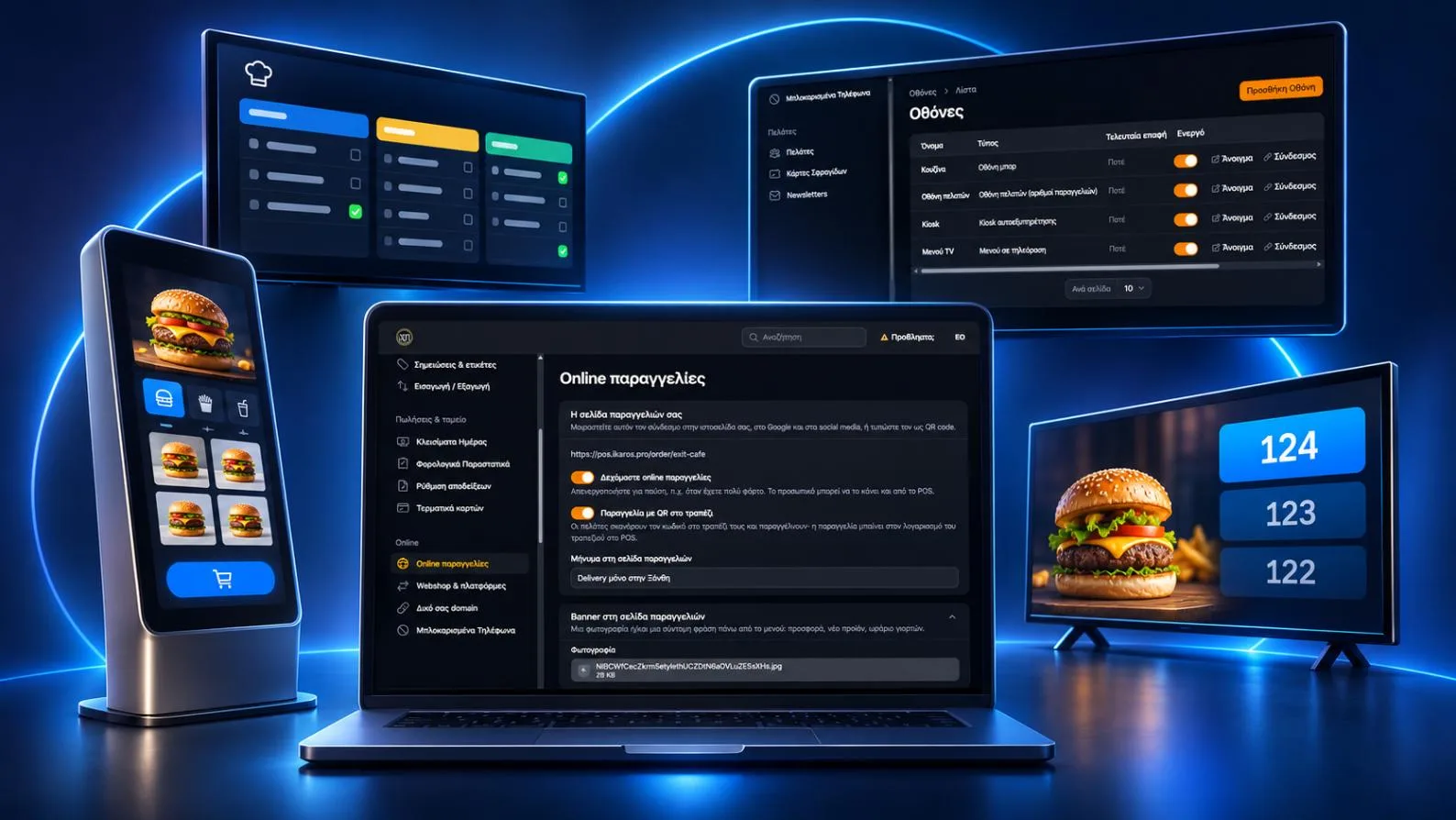
Your own ordering page with no commission, caller ID with the customer's history, zones and delivery fees, drivers on a live map.
Kiosk & TV menu
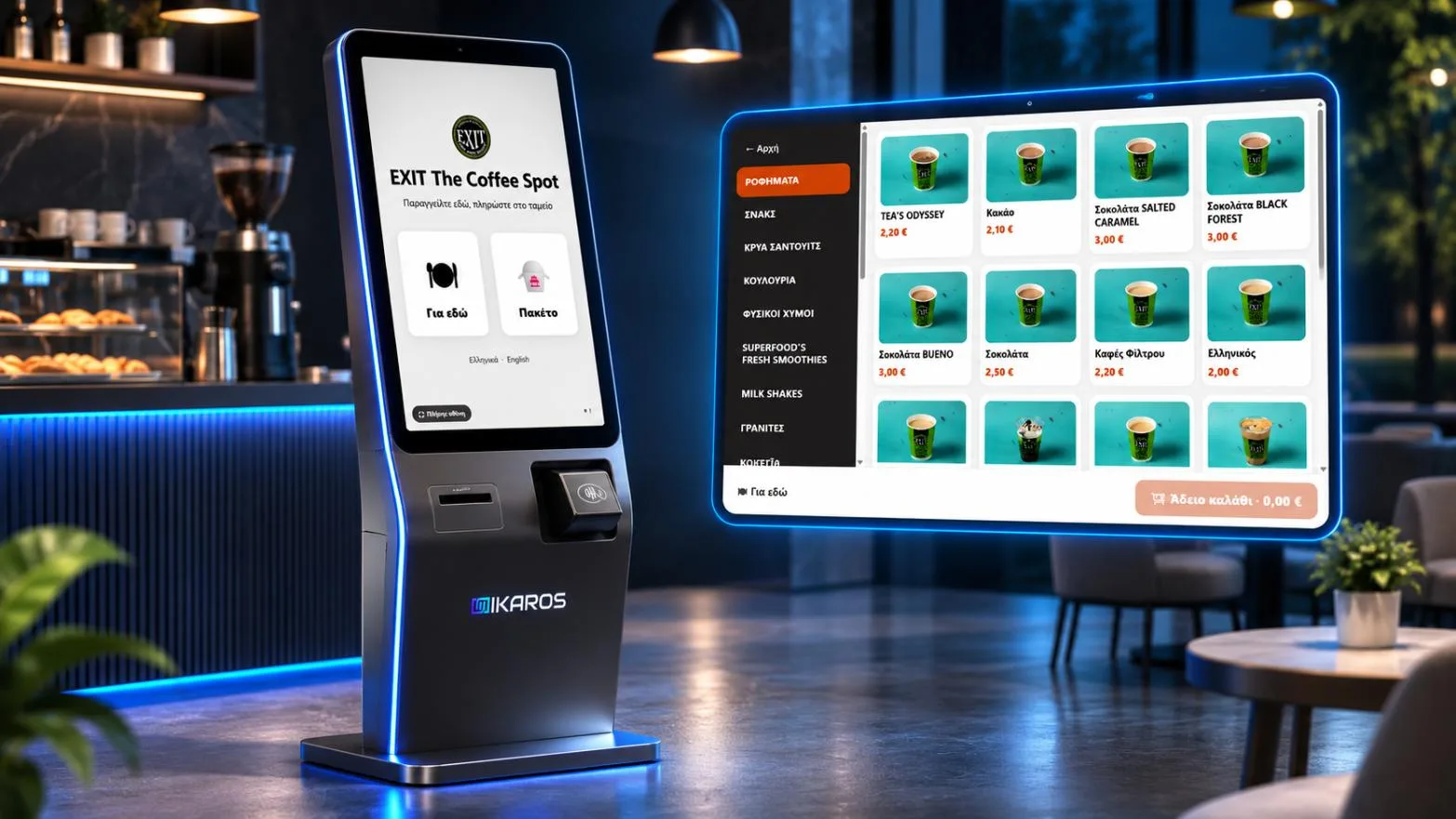
Customers order on a touch screen. The TV menu updates itself, with photos.
Kitchen screen
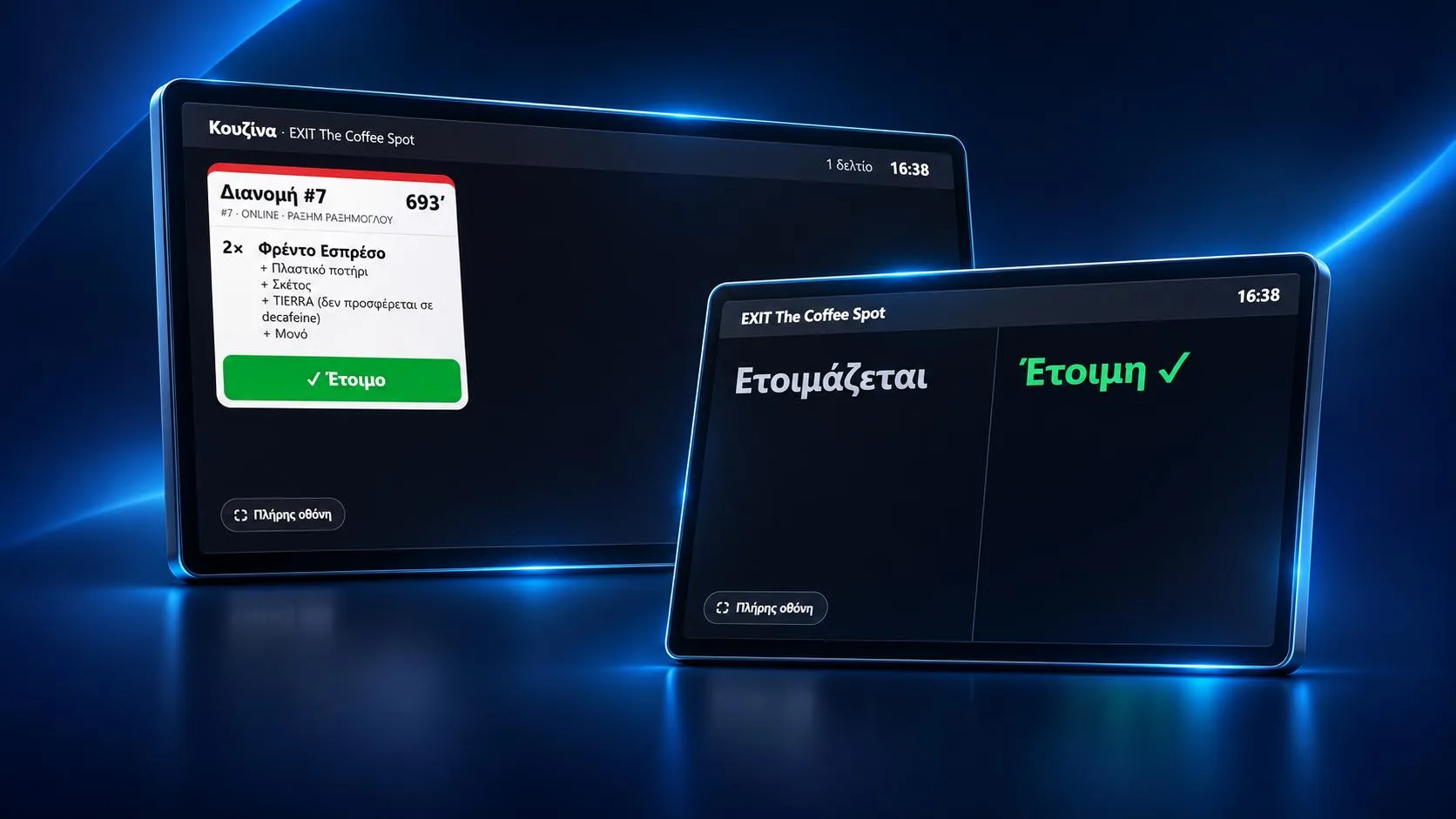
Orders on the kitchen or bar screen with timers, plus an "order ready" number screen.
AADE receipts
Receipts, 8.6 order slips and invoices through Wrapp, Oxygen or iNVOICEsoft, with the QR on the receipt and never a duplicate receipt. A Wrapp account in minutes, no keys to copy. The environmental fee on takeaway and delivery is added by itself.
Card terminals
Terminal-to-POS link as AADE requires: Viva, EveryPay, myPOS, Nexi, SumUp or through Wrapp. The amount goes straight to the terminal or the waiter's phone (tap to pay). A payment waiting on the terminal is checked every minute and never lost.
Customers, points & offers
Loyalty points, stamp cards, coupons, Happy Hour, "buy 3 pay 2", newsletters to your customers and "goes well with your order" suggestions.
Reservations
Online table bookings with times and capacity, shown on the floor plan.
Stock & recipes
Ingredients, recipes, stock counts, supplier invoices from myDATA straight into stock and automatic "sold out" on the menu.
Beach & hotel
Sunbeds on a map of the beach or the pool, sunbed rent or minimum spend, charges to the room, ordering from the sunbed's QR.
Hotel PMS link
A charge to the room goes to the guest's account (folio) in the PMS. A ready link with Hoteliga by Epsilon Net, an open Hotel API for any other PMS, or a CSV export for the reception. The till checks who is staying and the charge limit, and you choose whether the till or the hotel issues the myDATA receipt. €12 a month.
Reports & accountant
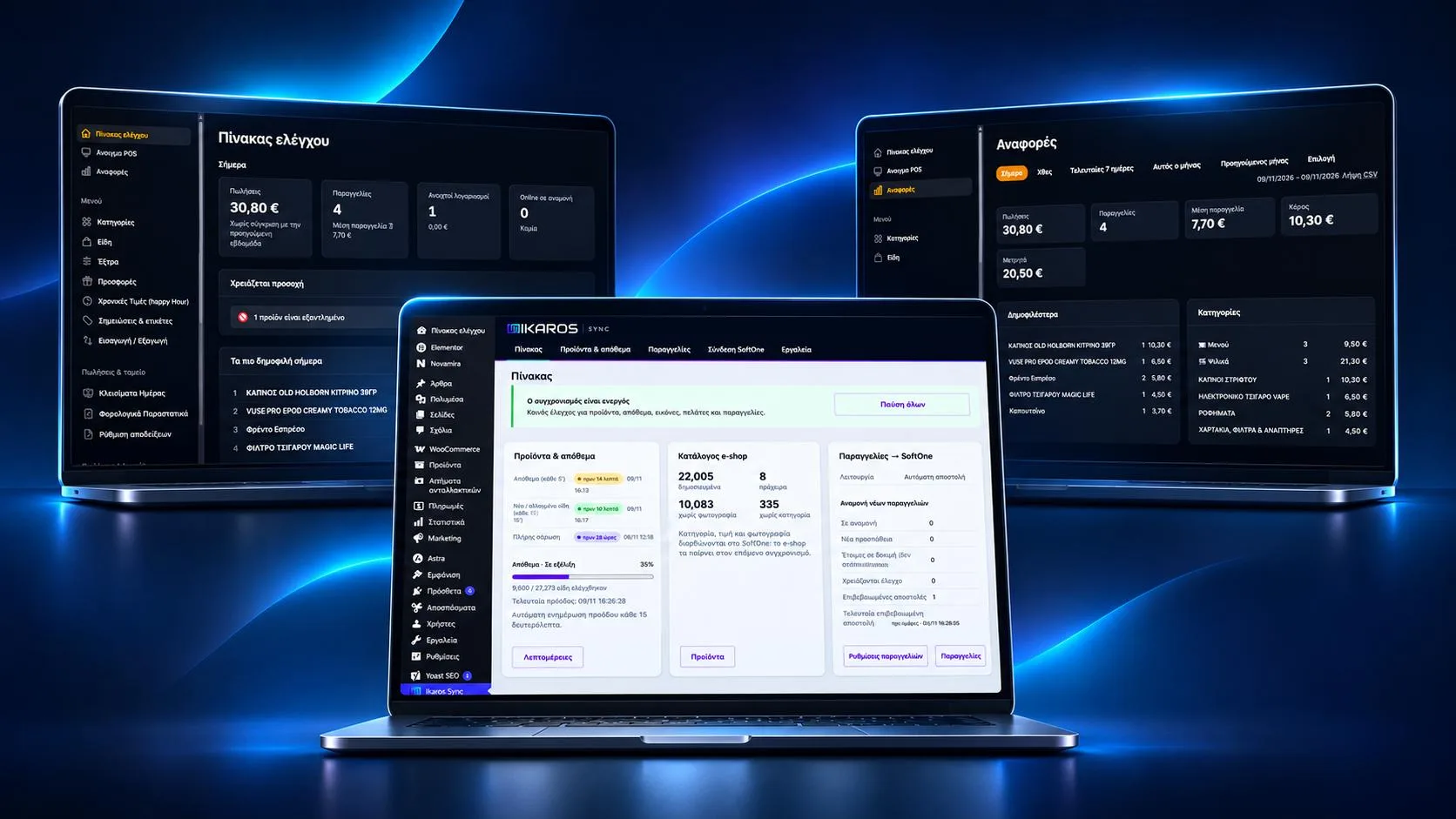
Sales by hour, item, category and staff, for one store or many. Your accounting office sees sales and documents on its own, without changing anything.
Cashier limits & blind Z
Set the largest discount and cash out a cashier may give alone. Above them, a manager types their PIN in a dialog that shows who asks, what and why. At the Z, cashiers count the drawer without seeing what should be in it. On every package with a till, at no extra cost.
Control & security
The till opens only on approved devices, each staff member with their own PIN. Wrong PINs bring a wait that doubles, and after 50 in one day PIN entry locks for the whole store with an email to the owner. Card without the terminal only with a manager, a security log of every approval and an alert for unusual voids, refunds and discounts after every Z.
Customer emails & GDPR
The online customer gets an email when you accept the order (with the time), reject it or refund money. Newsletters go only to those who confirmed from their email, and customer details are erased by themselves after the months you choose.
AI assistant
Free: menu from a photo, translations into 29 languages for tourists, allergen suggestions, paper supplier invoices from a photo and text for Google and AI. With the "Ask your shop" add-on (€7 a month) you ask about your sales in plain words and get a summary after each day close.

Setups for every kind of business

For hotels and beach bars

The beach, the pool, the bar and the restaurant in one system. Made for the Greek summer season.

  • The beach on a mapSunbeds in rows, as they stand on the sand. Which is free, which is ordering, what it owes.
  • Order from the sunbedGuests scan the QR and order without looking for a waiter.
  • Charge to the room and PMSHotel guests charge to their room and settle at check-out. With the PMS link the charge goes to their folio in Hoteliga, or in another PMS through the Hotel API, with the receipt's ΜΑΡΚ.
  • Sunbed rent or minimum spendSet a sunbed rent or a minimum spend per sunbed.
  • Waiters on their phoneOrders go from the sand straight to the bar and the kitchen.
  • Pay only for the seasonNothing to pay off-season, 10% off if you pay the whole season at once.

All about beach bars and hotels

Build your own till

Pick your business and what you need. The price shows at once, on the cheapest package for what you picked.

1

What kind of business?

2

What should it do?

The basics (till, items, printers, reports) are always included.

Orders

Kitchen & screens

Customers & business

Receipts

Artificial intelligence

3

How do you pay?

Use what you already have

No expensive "POS hardware" needed. IKAROS POS runs in the browser.

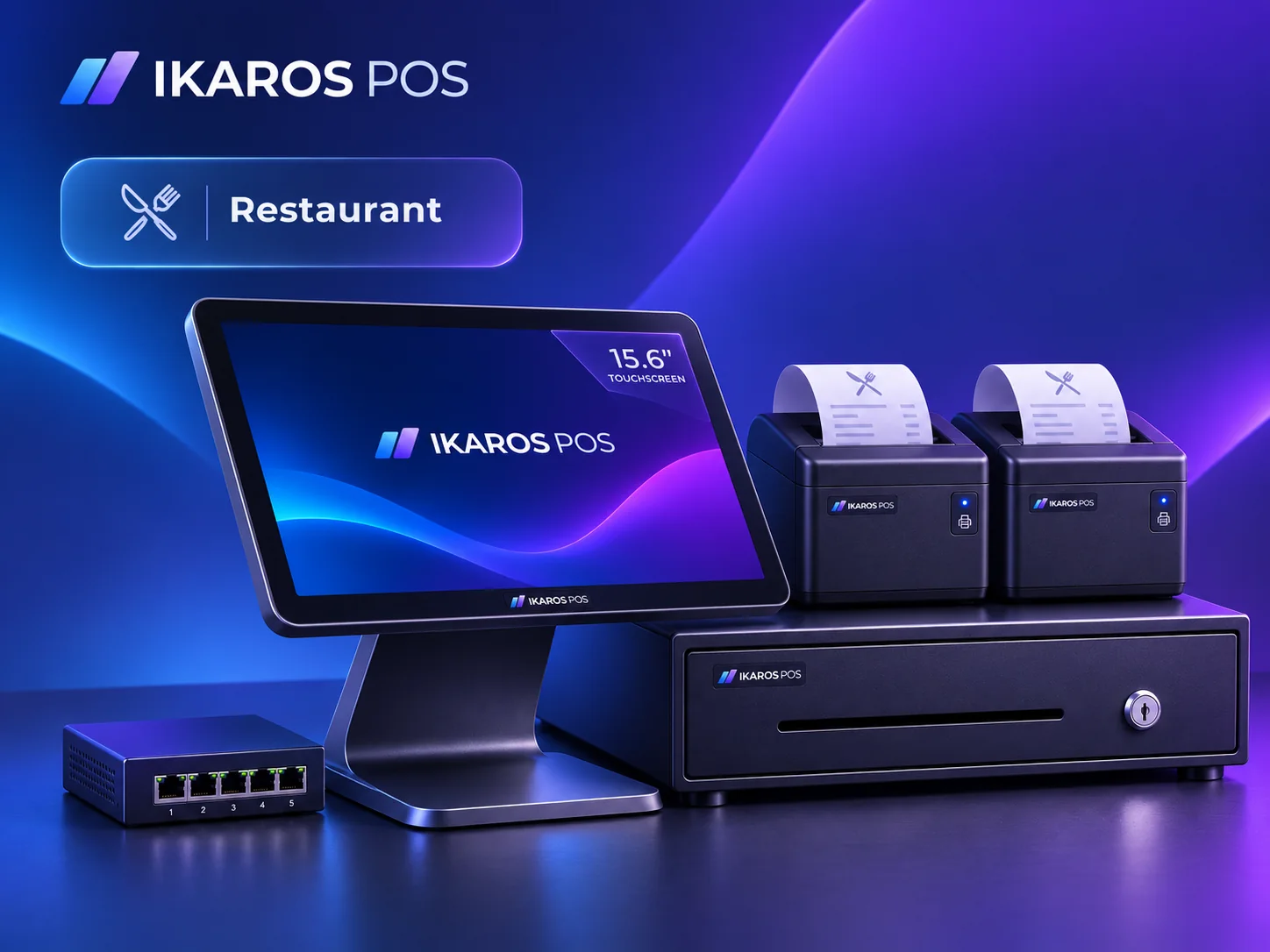
IKAROS POS restaurant hardware bundle: 15.6" touchscreen, two thermal printers, cash drawer and network switch Restaurant bundle: 15.6" touchscreen, till and kitchen printers, cash drawer and switch, set up by us. →
Tablet, PC or phone
Android, iPad, Windows or Mac. Waiters on their own phones.
Your printers
Epson, Star, Xprinter and other network printers, through a small program on a PC or on the Android tablet.
Your terminal
Viva, EveryPay, myPOS, Nexi, SumUp, terminals through Wrapp, or a phone as the terminal (tap to pay).
Any TV or screen
For the menu, the kitchen, order numbers and the kiosk.

Up and running in three steps

  1. Open an accountTwo minutes: business type and details, and you have a store with a sample menu to try.
  2. Bring your menuPhotograph your menu and the AI assistant builds categories, products, prices and English translations in a minute. Or upload Excel, or send us photos and we enter it.
  3. Connect what you haveTablet, printers, terminal and TV. With step-by-step guides and local support.

Works with what you already use

Payments, platforms, receipts and hardware. You choose the provider.

Online payments
Viva, Stripe, EveryPay, SumUp, Revolut, Mollie
Card terminals
Viva, EveryPay, myPOS, Nexi, SumUp, Terminals through Wrapp, IRIS (with Oxygen), Tap to Pay on a phone
Platforms
Wolt, e-food, WooCommerce
Receipts
myDATA via Wrapp, myDATA via Oxygen, myDATA via iNVOICEsoft, 8.6 order slips, Invoices to businesses, Supplier invoices from myDATA, Cash register
Phone
Caller ID, VoIP phone systems (3CX, Yeastar), USB caller ID modem
Printers
Epson, Star, Xprinter, Bixolon, and any ESC/POS network printer
Screens
Android TV, Any TV with a browser, Tablet, portrait or landscape
Hotels (PMS)
Hoteliga (Epsilon Net), Hotel API for any PMS, CSV export for the reception

Simple prices, no commission

Per store, per month, excl. VAT. Pay monthly, once a year, or only for your season.

Café / Take away

Cafés, espresso bars, take away.

19€/month
  • Till, products, printers, reports
  • Kitchen display (KDS)
  • Customers & loyalty
See how it works Start free

Retail

Shops, bakeries, mini markets, butchers.

19€/month
  • Till, products, printers, reports
  • Stock & recipes
  • Customers & loyalty
See how it works Start free

Delivery / Grill

Souvlaki, pizza, burgers, with delivery.

29€/month
  • Till, products, printers, reports
  • Tables & floor plan
  • Delivery
  • Online ordering & QR
  • Kitchen display (KDS)
  • Customers & loyalty
See how it works Start free

Beach bar & hotel

Beach bars, hotels, pools. Sunbeds, QR, charge to room.

35€/month
  • Till, products, printers, reports
  • Tables & floor plan
  • Waiter app
  • Online ordering & QR
  • Beach & hotel
  • Customers & loyalty
See how it works Start free
Popular

Restaurant

Tavernas, restaurants, bars.

35€/month
  • Till, products, printers, reports
  • Tables & floor plan
  • Waiter app
  • Kitchen display (KDS)
  • Reservations
  • Customers & loyalty
See how it works Start free

Everything

Everything we have, for big venues.

55€/month
  • Till, products, printers, reports
  • Tables & floor plan
  • Delivery
  • Online ordering & QR
  • Waiter app
  • Kitchen display (KDS)
  • Reservations
  • Kiosk & menu screens
  • and 8 more
Start free

Online & QR ordering

QR and online orders only, no till.

12€/month
  • Online ordering & QR
  • Tables & floor plan
See how it works Start free

How you pay

Monthly

Pay by card every month. Cancel any time, no contract.

Yearly17% cheaper

Pay for 10 months and get 12.

Seasonal10% off for the whole season

For businesses open in summer or winter only: pay just for the months you are open. Pay the whole season at once for 10% off. Off season you pay nothing and your data stays.

AADE receipts via a provider are charged separately, as set by the provider. Extra features can be added one by one, but the total never goes above the "Everything" package. The "Ask your shop" AI assistant (€7/month) is always added on top.

For partners and resellers

Do you sell registers, printers or services to stores? Give them IKAROS POS under your own name.

See the partner programme

Questions

Does it work for a hotel or a beach bar?

Yes. With the Beach & hotel add-on you get a map of your sunbeds, ordering from the sunbed QR, sunbed rent or minimum spend, and charging to the room. Pool bar, beach bar and restaurant can run as separate points in one account (Multiple stores add-on), and you only pay for the months of the season. With the Hotel PMS link add-on the room charges also go to the hotel's PMS.

Does IKAROS POS connect to the hotel's PMS?

Yes, with the Hotel PMS link add-on (€12 a month excluding VAT, together with Beach & hotel). A charge to the room goes to a specific guest and from there to their account (folio) in the PMS. There are three ways: a ready link with Hoteliga, the open Hotel API that the vendor of any PMS can connect to, or a CSV export and print for the reception. The till checks that the guest is staying, may charge and is within their charge limit.

Does it work with Hoteliga?

Yes. IKAROS POS connects to the Hoteliga PMS by Epsilon Net: guests who are staying come to the till every 5 to 60 minutes, and every room charge goes to the guest's reservation as an extra charge, with the order number and the receipt's ΜΑΡΚ in the notes. It needs an API licence from Hoteliga, because free use has only 100 calls a day.

Who issues the receipt when I charge to the room?

You choose, together with your accountant. The recommended way is that the till issues it: the receipt goes to AADE's myDATA with the room amount paid on credit, and the PMS gets its number and ΜΑΡΚ so it does not issue a second one. Otherwise the hotel issues the final invoice: then the till issues no receipt for that money, only the whole bill can go to the room and the Z shows it apart. 8.6 order slips are issued as usual either way.

What if my PMS is not Hoteliga?

A ready-made link exists today only for Hoteliga. For any other PMS there are two ways: the reception exports the room charges as CSV or print per day, room or guest and keys them into the PMS, or the PMS vendor connects to the open Hotel API of IKAROS POS, which gives in-house guests, charges with items, VAT and ΜΑΡΚ, confirmation and a webhook. The documentation is public at /api/docs.

What if my business only opens for the season?

With the seasonal plan you pay only for the months you are open, with 10% off if you pay the whole season at once. Off season the till closes at no charge and your data stays for next year.

Do I need special hardware?

No. A tablet, PC or phone with internet is enough. If you already have network printers and a card terminal, we connect them.

Does it issue receipts for AADE?

Yes, through a certified e-invoicing provider: Wrapp, Oxygen or iNVOICEsoft. The receipt has the QR and MARK, tables get an 8.6 order slip, and a receipt is never issued twice. If the provider has a problem, receipts are sent again on their own.

What if the internet goes down?

The till keeps going. With the offline till you sell as usual, at the counter and at tables, send orders to the kitchen and take cash or card. Sales are kept on the device and sent to your provider on their own as soon as the connection is back. The card terminal needs its own connection (most have a SIM card). Keep a 4G phone as a backup connection too: AADE expects one for retail anyway.

How do I pay the subscription?

After the trial you get an invoice each month and pay by card from the link. Cancel any time.

Can I bring my menu?

Yes. Take a photo of your menu and the AI assistant enters it in a minute, or upload it from a file, or send us photos and we enter it for you.

What is "Ask your shop"?

An AI add-on at €7 a month or €70 a year excluding VAT, on the same invoice as your subscription. Ask "how many freddos did I sell in August compared with last year?" and get an answer with numbers from your own sales, up to 300 questions a month. After each day close you get a summary by email, and every Monday a note on the week. The first 10 questions are free. Only totals go to the AI, never customer details.

How do I link my card terminal to the till (AADE requirement)?

IKAROS POS links to Viva, EveryPay, myPOS, Nexi and SumUp terminals, or to any terminal Wrapp supports. The amount goes to the terminal by itself and the payment is tied to the receipt, as AADE requires. With the Oxygen provider you also accept IRIS (on a Viva terminal or with your bank's IRIS code). A payment waiting on the terminal is checked every minute, so it is never lost.

Is the environmental fee on coffee added by itself?

Yes. You set on each category how many plastic pieces it takes (cup and lid = €0.10) and on takeaway, delivery and online orders it is added by itself as a separate line at 24% VAT, as AADE requires. Not at the table or with the customer's own cup, and Reports show the amount per quarter.

Can my accountant see the figures?

Yes. Under "My accountant" you give your accounting office access with its code. It sees only the store's sales and documents, cannot change anything, and you can take the access back any time.

Is my data safe?

The connection is encrypted, payment keys are stored encrypted, we keep daily backups and admins sign in with two-step verification. The till opens only on devices you approved. Only the owner changes the receipt, terminal and payment account settings, and every sensitive action goes into the security log. You can download or delete your data any time.

Can I limit the discounts and cash outs of cashiers?

Yes. In Store details you set the largest discount (%) and the largest cash out (€) a cashier may give alone. Above them, a manager or the owner types their PIN in a dialog that shows who asks, the amount and the reason, and the approval goes into the security log. The same applies to refunds and to a card recorded without the terminal. Included in every package with a till.

What is a blind Z?

A blind count: at the day close the cashier counts the cash in the drawer and types it without seeing sales, the X report or what should be there. The difference shows only after the Z, so what is really there gets counted. In IKAROS POS it is on from the start for cashiers; owners and managers always see all figures.

What if someone tries to guess a PIN?

After 4 mistakes on a device the wait doubles with each new one (30 seconds, 1 minute, 2 minutes…). With 50 wrong PINs in one day PIN entry stops for the whole store and the owner gets an email; it starts again when the owner opens the POS from the back office. On top of that the till only opens on devices you approved.

Can I see who is calling before I pick up the phone?

Yes, with caller ID. When the store's phone rings, the POS shows with a sound the customer's name, how many orders they placed, their notes and their addresses. One tap opens a delivery or pickup with their details filled in, or puts their last order in again. It connects to a VoIP phone system (3CX, Yeastar, Grandstream…) with a key that can only send calls, or to a USB caller ID modem or caller ID program on the store PC through the IKAROS Bridge. The line needs caller number display turned on by the phone provider. Included in every plan with a till.

Does the customer know whether we accepted their online order?

Yes. They see the progress on the tracking page and get an email in their language when you accept the order (with the time it will be ready), reject it (with the reason and whether the card payment was refunded) and when you refund money. With card payment, the order email goes out only once the payment is confirmed.

How does IKAROS POS help with GDPR for my customers?

You choose how long customer details are kept (12 to 84 months without a visit, 36 by default) and then they are erased by themselves, while sales and VAT stay for the books. Offer emails go only to those who confirmed from their email (double opt-in), with unsubscribe in every email. From the customer's card you download or erase their data. For your own obligations, check with your adviser.

Start today, pay only if you like it.

14 days free with every feature. No card needed.